Filtr zvukových vln
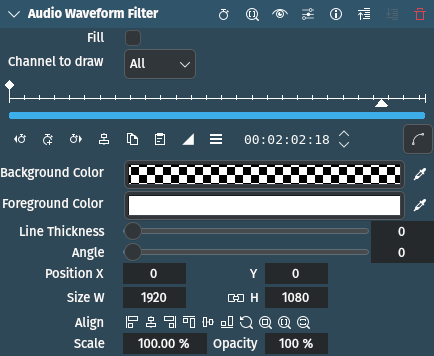
Popis
This effect/filter is an audio visualization effect that draws an audio waveform on the image. It can be controlled directly on the monitor.
Parametry
Parametr |
Hodnota |
Popis |
|---|---|---|
Vyplnit |
Přepnout |
If checked the area below the line will be filled using the color specified with Foreground Color. |
Channel to draw |
Výběr |
Defines which channels in the audio track to draw |
Barva pozadí |
Kapátko |
Defines the background color to be applied to the entire frame |
Barva popředí |
Kapátko |
Defines the color of the waveform |
Tloušťka čáry |
Celé číslo |
Defines the thickness of the line in number of pixels |
Úhel |
Celé číslo |
Defines the rotation angle to be applied to the waveform |
X / Y / W / H / Size / Opacity |
Defines the X and Y coordinates, Width and Height, Size and Opacity of the rectangle in which the waveform is drawn. The icons help lining up the rectangle. Opacity cannot be changed. |
Jsou dostupné následující položky pro výběr:
Channel to draw
Vše |
výchozí |
Sloučit |
|
1 - 10 |
Tip
Opacity is fixed at 100%. You control the opacity/transparency of the effect by adjusting the alpha component of the Foreground color.
Příklad

Example of the Audio Waveform Filter effect with default settings