Spela in ljud
Man kan använda Kdenlive för att spela in ljud med en mikrofon medan man spelar upp projektet på projektskärmen. På så sätt kan man spela in en dubbning. För mer information se kapitlet Ljudinspelning
Man ställer in ljudinspelning från Lagra.
Man definierar målet för hämtningar genom att använda .
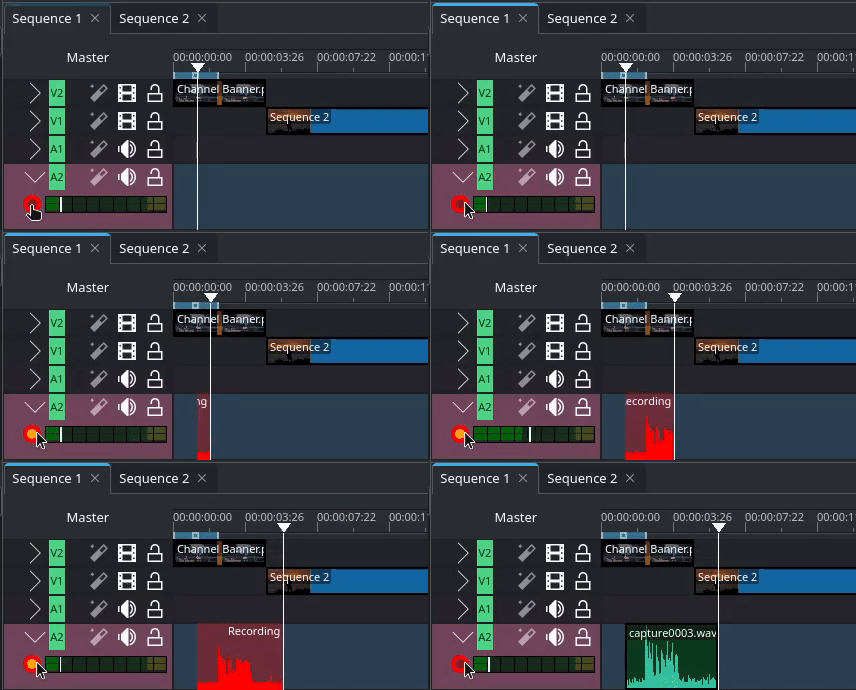
Spela in en dubbning
Inspelningen placeras i tidslinjen där uppspelningspositionen var när inspelningen startades.
Råd
Beroende på inspelningsenhet, kan det spela in stereoljud. Man kan blanda ner det till mono med ljudeffekten Kopiera kanaler till stereo.
Normalt placeras inspelningens .wav-fil i huvudprojektkorgen. Om man vill ha inspelningarna på ett ställe kan man ange en katalog i projektkorgen som mål för inspelningarna.
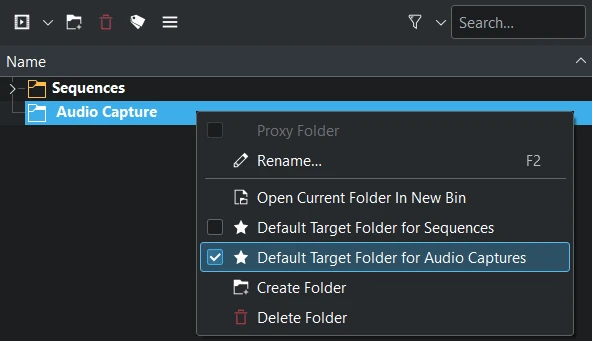
Ange en katalog i korgen för ljudinspelningar
Högerklicka på respektive katalog i projektkorgen och aktivera Standardkatalog för ljudtagningar.
Observera
Katalogen är en katalog i projektkorgen och inte en katalog i filsystemet. Man kan dock definiera en katalog i filsystemet där alla inspelningar (video och ljud) lagras. Gå till . För mer information se kapitlet Inställningar.