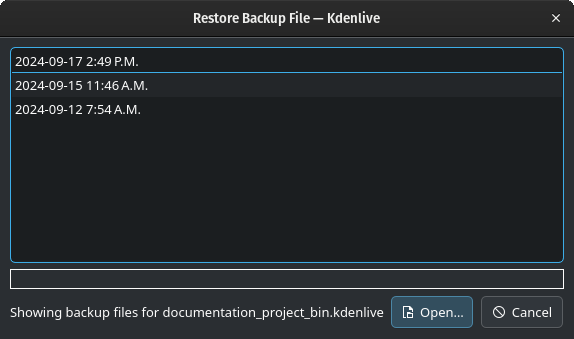
A backup file is automatically created each time you save your project. To restore a backup file, go to Menu > Project > Open Backup File. The Restore Backup File dialog window will show you a list of all the backup files for your current project.
In case something went wrong (corrupted project file, unwanted change, …), you can now restore a previous version of the file using this feature. Just select the version you want and click Open.
Backups are stored in folder:
File / Folder
: ~/.local/share/kdenlive/.backup/
: %AppData%\kdenlive\.backup\
: ~/Library/ApplicationSupport/kdenlive/.backup/
Kdenlive keeps up to 20 versions of your project file in the last hour, 20 versions from the current day, 20 versions in the last 7 days and 20 older versions, which should be sufficient to recover from any problem.
 Open.
Open. :
:  :
:  :
: