Help Menu
The Help Menu gives you access to various information.
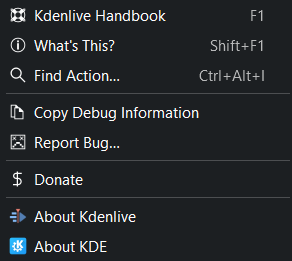
Kdenlive Help Menu
Kdenlive Handbook or press F1 to open the online Kdenlive handbook which you are just reading.
What’s This? or press Shift+F1. This function is not implemented so far.
Find Action
This feature allows you to search for any command or action available. Simply enter the search term and then select the command or action you want to execute. Kdenlive uses fuzzy search or look-ahead search, so that every character you type changes the search result on the fly.
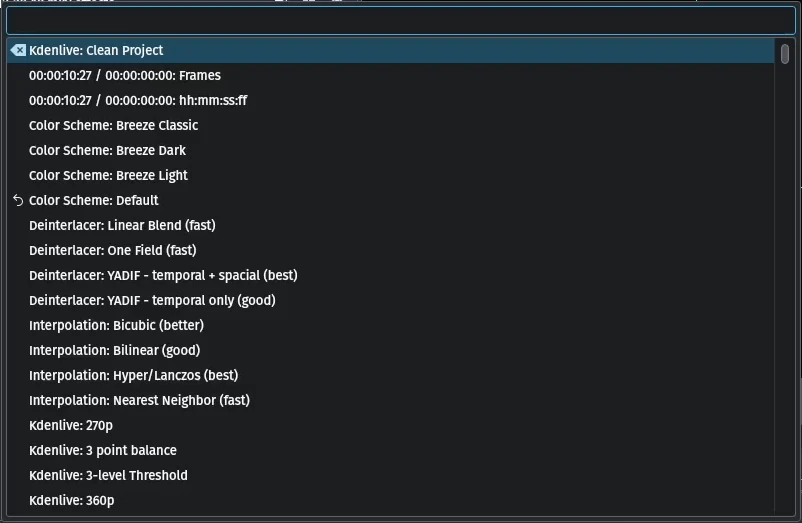
Kdenlive Find Action
Copy Debug Information
This function copies relevant debug information into the clipboard. When you report a bug in Bugzilla you can paste this information in the section SOFTWARE/OS VERSIONS
Report Bug
This function allows you to report a bug directly into the Kdenlive Bugzilla bugtracker by clicking on .
Donate
This function allows you to donate. It points you to the Kdenlive donate page where the donations get collected for Kdenlive (https://kdenlive.org/fund/).
About Kdenlive This function shows you all details about Kdenlive.
About KDE Kdenlive is part of KDE. It shows you more details about KDE.