Add Sequence
Right-click on empty space in the project bin, or click the 
 Add Clip icon on the project bin toolbar, and select Add Sequence.
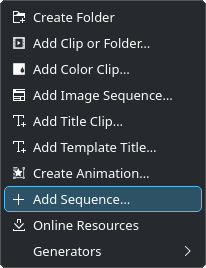
Adding a sequence
Adds a new sequence to the timeline. A sequence behaves like a clip.
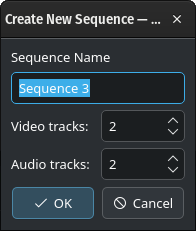
Creating a new sequence
Enter the name of the new sequence. You can change it later if needed.
Specify the number of video and audio tracks. By default, there will be two video tracks and two audio tracks. You can add or delete tracks later directly in the sequence.
See the chapter 序列 for more details.